Kitchen Display Systems: The Complete Guide for Restaurant Owners
If your kitchen still relies on paper tickets or verbal orders, you're leaving efficiency on the table. Kitchen Display Systems (KDS) have become essential technology for modern restaurants, and the barrier to entry has never been lower.
What Is a Kitchen Display System?
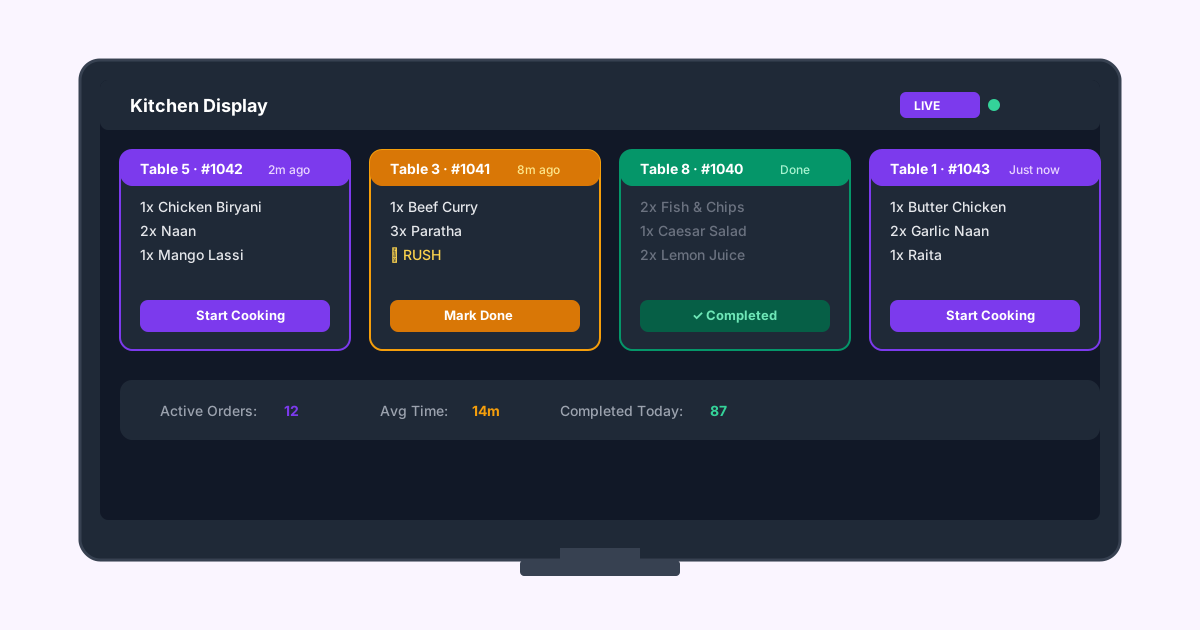
A KDS replaces paper tickets with a digital screen in the kitchen. Orders appear automatically as they're placed, organized by priority, timing, and station. Kitchen staff can mark items as in-progress or completed with a tap.
Why Paper Tickets Fall Short
Key Features to Look For
Real-Time Order Flow: Orders should appear instantly, whether from QR ordering, POS, or online delivery platforms.
Station Routing: A good KDS routes items to the right station automatically — grilled items to the grill station, drinks to the bar.
Priority Management: Rush orders, modifications, and allergies should be clearly highlighted.
Timing Alerts: Color-coded timers that show when an order is approaching or exceeding target prep time.
Completion Tracking: When kitchen marks an order complete, the system can notify waitstaff or update the customer's order tracker.
Impact on Your Restaurant
Restaurants that switch from paper to KDS typically see:
Getting Started with KDS
You don't need expensive hardware. A tablet mounted in the kitchen with the right software is all you need. RestoIO's built-in kitchen dashboard works on any device with a browser — no special equipment required.
The key is to start simple. Get your team comfortable with digital orders before adding advanced features like station routing or analytics.